FLOWER STORIESGuides
Congratulations on Your Promotion: A Guide to Ribbon Messages for Different Relationships
A Guide to Choosing the Right Ribbon Messages for Your Boss, Colleagues, Subordinates, and Business Partners
A Guide to Choosing the Right Ribbon Messages for Your Boss, Colleagues, Subordinates, and Business Partners
Promotion is a moment that not only marks personal growth but also changes the dynamics of the entire organization. Like the concept of "flowers" by Kim Chunsu, the meaning blossoms when the name is called. The message on the ribbon should be tailored to the relationship to convey sincerity.
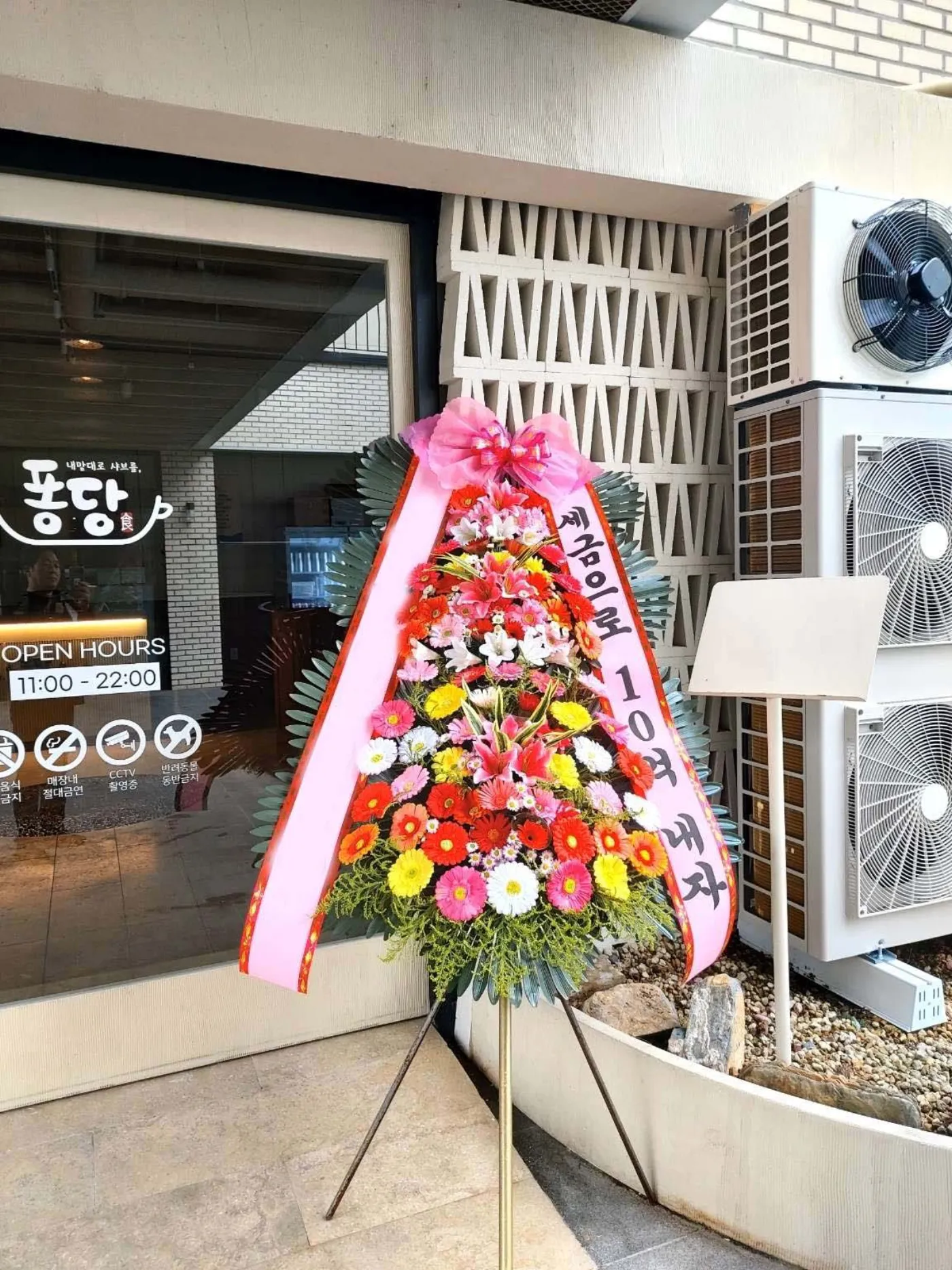
The recipient's name (e.g., Director Kim) and congratulatory message should be formal yet warm. On the left ribbon, write "Director Kim", and on the right, "Congratulations on your promotion" within 20 characters. Choose a subtle gold or navy ribbon color to add a touch of elegance. Avoid expressions like "Do well" or "Keep up the good work", which sound commanding or overly familiar. The sender's name should be written in the format "Company Orem, HR Team, Team Leader Hong Gildong".
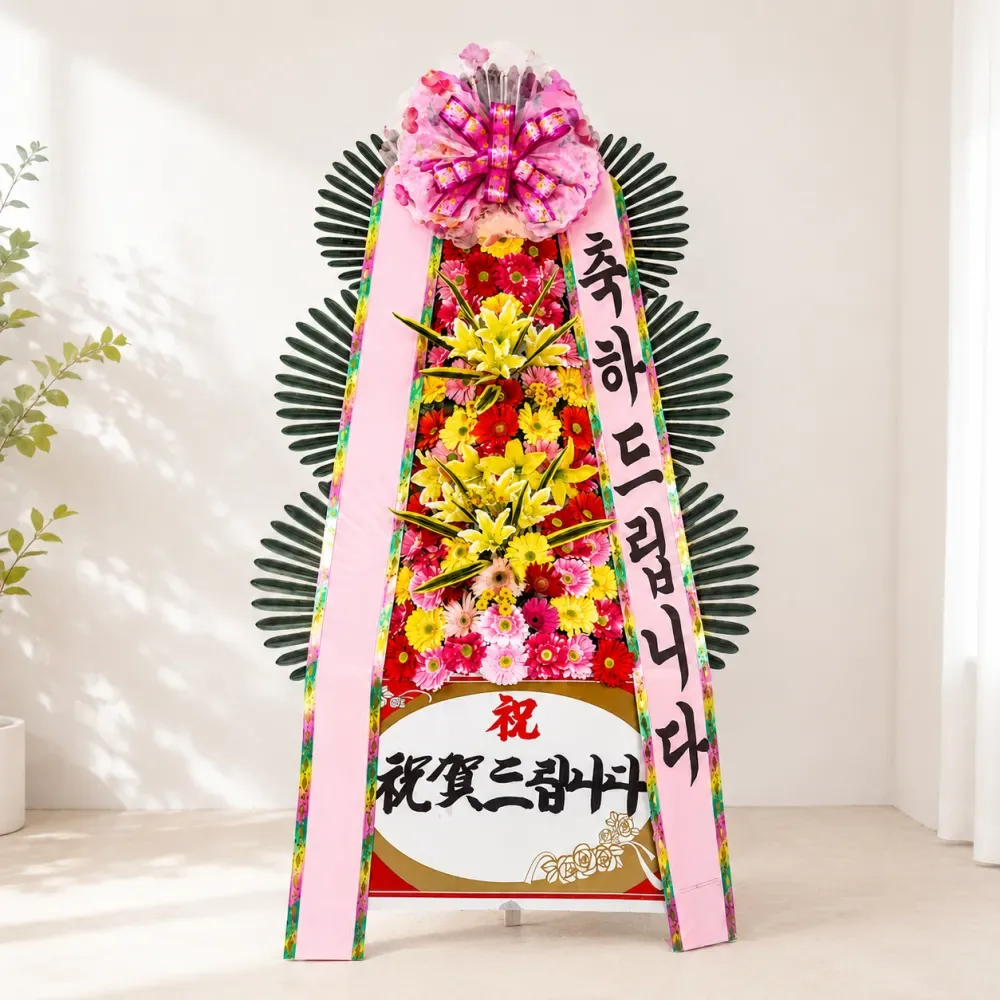
For colleagues, strike a balance between friendliness and professionalism. On the left ribbon, write "Team Leader Hong", and on the right, "Congratulations on your promotion. I look forward to growing together" within 30 characters. Avoid exaggerated expressions like "You're amazing!" and opt for encouragement like "Well done!". Choose a pastel tone that matches your team's color for the ribbon. The sender's name should be written as "Company Orem, Sales Team, Team Leader Kim Min-soo".
For subordinates, convey encouragement and a sense of responsibility. On the left ribbon, write "Assistant Manager Park", and on the right, "Congratulations on your promotion. I look forward to your future as a leader". Avoid simple encouragement like "Keep going" and instead express specific expectations. Choose a calm blue or gray ribbon color to convey trust. The sender's name should be written as "Company Orem, HR Team, Deputy Director Lee Hyun-ju".
For business partners, a formal tone is essential. On the left ribbon, write "CEO of OO Company", and on the right, "Congratulations on your promotion. I appreciate our future cooperation". Avoid expressions like "Please take care of me", which may come across as overly familiar. Choose a deep red or black ribbon color that matches the company's image. The sender's name should be written as "Company Orem, Management Support Team, Manager Choi Soo-jin".
If the message is too long, extract the key points and condense it into 2-3 lines. For example, "Congratulations on your promotion and I wish you success in your new challenges" can be shortened to "Congratulations on your promotion, wishing you success". Keep it within 20-30 characters, minimize spacing and punctuation, and use the same font and color on both sides of the ribbon for visual balance. Using black silk font can add a touch of elegance.
Review your message at least twice to avoid typos and errors in the sender's name, which can undermine trust. Once you've finalized your message, select a bouquet on ArriveinBloom.com and copy your message into the ribbon message input field. If you order before the deadline, you can enjoy nationwide 24-hour ordering and same-day delivery. Actual delivery photos are shared without editing, and we handle flowers from dawn auctions and ship them immediately. If you have any questions, feel free to contact our customer service at 1666-6584.
The sincerity in the small letters can be conveyed more deeply than the large flowers.
Avoid commanding tone or overly familiar language, and use formal congratulatory messages instead.
Keep it concise, within 20-30 characters on each side.
Order before the deadline for each region to guarantee same-day arrival.
Write the company, department, and title in that order (e.g., Company Orem, HR Team, Team Leader Hong Gildong).
Convey your heart with customized ribbon messages and fresh bouquets. You can receive them on the same day through ArriveinBloom.com.
Published August 14, 2026 · by Arrive in Bloom · Flower Editor